

It’s 9:15 on a Monday. The front desk can’t print, two people are stuck on a spinning wheel in your line-of-business software, and someone has already restarted the router twice. By lunch everything seems fine again, so it’s easy to shrug and move on, but moments like this are exactly why network support for small business matters.
A network that “mostly works” is quietly costing you time, patience, and sometimes customers. The good news is that most network trouble shows up as a handful of familiar signs long before it becomes a real problem. If you know what to look for, you can fix it on your schedule instead of in the middle of a busy day.
Here are the signs your business is ready for professional network support, plus a few things you can check yourself this week.
What “network support for small business” actually means
Your network is everything that connects your people to each other and to the internet: the internet service coming into the building, the firewall and router, the switches in the closet, the cabling in the walls, the Wi-Fi access points on the ceiling, and the printers, phones, and computers that use them.
Network support for small business means someone is responsible for all of that. They set it up the right way, keep it updated, watch it for trouble, and fix problems before your team has to report them. For a lot of offices with 10 to 50 workstations, that “someone” is currently whoever is most comfortable with technology, on top of their real job.
8 signs your business network needs professional support
1. Your office network slows to a crawl at the same times every day
A slow office network at 9 a.m., right after lunch, or whenever a big file syncs is not just bad luck. Patterns like that usually point to something specific: an internet plan that no longer fits your headcount, an older switch that can’t keep up, a backup running during business hours, or one device hogging the connection.
A professional can find the bottleneck and tell you whether the fix is a setting, a piece of equipment, or a call to your internet provider. Often it’s not the expensive answer.
2. Wi-Fi works in some rooms but not others
Business Wi-Fi problems are very common. Signal drops in the conference room, video calls freeze in the back offices, or a laptop has to be walked closer to the access point to finish an upload.
Walls, ceilings, glass, elevators, and even file cabinets all affect Wi-Fi. Consumer-grade routers that were fine for a small suite often can’t cover a larger space or handle many devices at once. A wireless survey (sometimes called heat mapping) shows where coverage is strong and weak so access points can be placed where people actually work, not where it was convenient to mount them.
3. “Restart the router” is your main fix
Restarting equipment can clear a temporary glitch. But if it’s the go-to fix every week, the restart is covering up a real cause, such as overheating equipment, outdated firmware, a failing device, or a configuration problem.
4. Nobody is sure how the network was set up
Ask yourself a few quick questions:
- Who has the admin password for the firewall and Wi-Fi?
- Where is the internet provider’s account information?
- Is there a simple diagram showing what’s plugged in where?
- If the person who set it up left tomorrow, could someone else take over?
If the honest answers are “not sure,” you’re not alone. But missing documentation turns a 20-minute fix into an afternoon of detective work, and it makes security much harder to manage.
5. Your network closet is hot, crowded, or a mystery
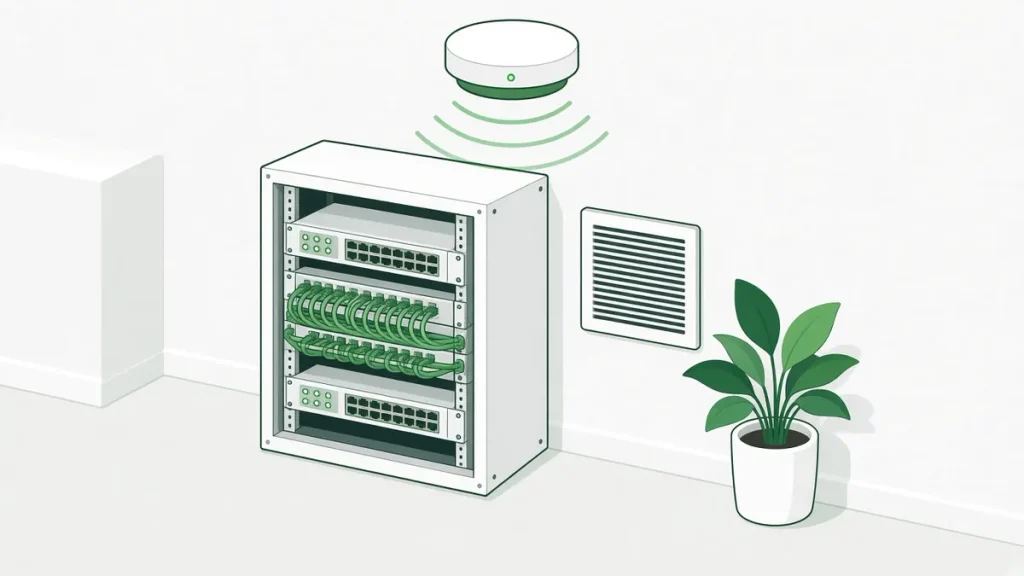
Take a look at where your network equipment lives. If it’s a tangle of unlabeled cables, a closet that doubles as storage, or a room that gets warm in a Texas summer, your equipment is working harder than it should. Heat and dust shorten the life of switches and firewalls, and messy cabling makes every change riskier.
6. You find out about outages from your staff (or your customers)
If the first sign of trouble is an employee walking into your office, the network is being managed reactively. Network monitoring flips that around. Monitoring tools keep an eye on your internet connection, firewall, switches, and access points, and alert your IT partner when something goes offline or starts acting up. That means many issues get handled before they interrupt your day.
7. Your business has grown, but your network hasn’t
New hires, more laptops, VoIP phones, security cameras, door access systems, smart TVs in the break room, guest Wi-Fi for visitors, a second suite down the hall. Each one adds load and complexity to a network that may have been designed for half as many devices.
If your network was set up for the business you were three or five years ago, it’s worth a review. Planning ahead is far easier than untangling problems after the fact.
8. Security feels like a question mark
A few signs that your network security needs attention:
- Guests and employees share the same Wi-Fi network.
- The firewall or Wi-Fi equipment hasn’t had a firmware update in a long time, or you don’t know.
- Former employees might still know the Wi-Fi password.
- You’re not sure whether anyone would notice unusual activity on the network.
None of this means something bad has happened. It just means there’s room to tighten things up, and most of these fixes are simple once someone owns them. Our network security services cover exactly this kind of cleanup. For a free, plain-English starting point, CISA (the federal Cybersecurity and Infrastructure Security Agency) publishes cyber guidance for small businesses.
A quick network check you can do this week
You don’t need to be technical to get a clearer picture. Grab a notepad and spend 30 minutes on this:
- Write down your pain points. When does the network feel slow? Which rooms have weak Wi-Fi? Ask two or three team members, too.
- Find your passwords and accounts. Locate the admin logins for your firewall, router, and Wi-Fi, plus your internet provider account. Store them somewhere secure.
- Look at the closet. Is it cool, clean, and labeled? Is anything blinking amber or red?
- Count your devices. Computers, phones, printers, cameras, and anything else on the network. The number may surprise you.
- Check your guest Wi-Fi. Make sure visitors are on a separate network from your business systems.
If this raises more questions than answers, that’s useful too. It shows exactly where an expert can help.
What professional network support looks like
Good network support should make your life simpler, not more complicated. Here’s what to expect from a solid partner:
- An assessment first. A walk-through of your space and equipment, a review of what’s working and what isn’t, and a plain-English summary of what to fix now and what can wait.
- Network monitoring. Your critical equipment is watched so problems get flagged early.
- Documentation. Passwords, diagrams, and vendor accounts are recorded and kept current, so you’re never stuck.
- Wi-Fi designed for your space. Coverage planned around how your team actually works, including wireless surveys when needed.
- Clean cabling and equipment. Structured cabling and a closet that’s organized and easy to service.
- Vendor help. Someone who can talk to your internet provider and other vendors for you, so you have one number to call.
- No Geek Speak. Clear explanations and honest recommendations, without pressure to buy what you don’t need.
At Covenant Computing, our network infrastructure and management services are built around that kind of proactive care, from Wi-Fi and structured cabling done to BICSI standards to monitoring and reporting. The goal is simple: we focus on your network so you can focus on your business.
Network support in Fort Worth, Arlington, and across DFW
Our office is in Arlington, right between Dallas and Fort Worth, so we work with businesses across Tarrant County and the wider DFW area. We also serve clients in Houston and Austin. Many of the offices we support are senior living communities, commercial office buildings, and hotels, along with Texas small businesses that depend on their network every day.
Being local matters for networking. Some problems can be solved remotely, but cabling, access points, and equipment closets sometimes need a person on site. If you’re in Fort Worth or nearby, you can learn more about our network support in Fort Worth and the communities we serve.
Frequently asked questions
How do I know if my small business network needs professional support?
Look for patterns: slowdowns at the same times each day, Wi-Fi dead spots, frequent router restarts, missing passwords or documentation, and outages you only hear about from staff. If two or more of these sound familiar, a professional review is a good next step.
Why is my office network so slow?
Common causes include an internet plan that’s too small for your team, aging switches or routers, Wi-Fi interference, backups or updates running during work hours, or one device using more than its share. The fix depends on the cause, which is why a proper look at your network is worth it before buying new equipment.
What is network monitoring, and do I need it?
Network monitoring uses software to watch your internet connection, firewall, switches, and access points and send alerts when something goes wrong. If your team depends on the network to serve customers or residents, monitoring helps catch problems early instead of after people are already affected.
Can you fix business Wi-Fi problems without replacing everything?
Often, yes. Sometimes moving or adding an access point, changing settings, or updating firmware makes a big difference. A wireless survey shows what’s actually happening in your space so you only replace what needs replacing.
Do you offer network support in Fort Worth and Tarrant County?
Yes. Covenant Computing is based at 2261 Brookhollow Plaza Dr, Ste 301, Arlington, TX 76006, and supports businesses across Fort Worth, Tarrant County, and the DFW area, as well as Houston and Austin. You can reach us at 469-373-4393.
Let’s take a look at your network
If a few of these signs sound familiar, you don’t have to sort it out alone.
Request a free IT consultation to talk through your network, Wi-Fi and equipment with our team. Call us at 469-373-4393. Peace of mind is priceless, and so are you.