Managed IT cost in Fort Worth is one of the first things business owners ask about when they start thinking about outsourcing IT, and it’s a fair question. The honest answer is that it depends on your business. The price is shaped by a handful of clear factors, and once you understand them, comparing quotes gets a lot easier.
This guide walks through the seven factors that drive managed IT services cost across Fort Worth and DFW, the pricing models you’ll see, how outsourced IT compares to hiring in-house, and the questions to ask before you sign anything. No Geek Speak, and no pressure.
7 factors that drive managed IT cost in Fort Worth and DFW
Every provider builds a quote a little differently, but most of them are weighing the same things.
1. Number of users and devices
The biggest factor is size. More people usually means more computers, more accounts, more help desk calls, and more to secure and back up. Devices matter too: laptops, desktops, servers, printers, phones, firewalls, switches, and Wi-Fi access points all need care.
2. Number of sites
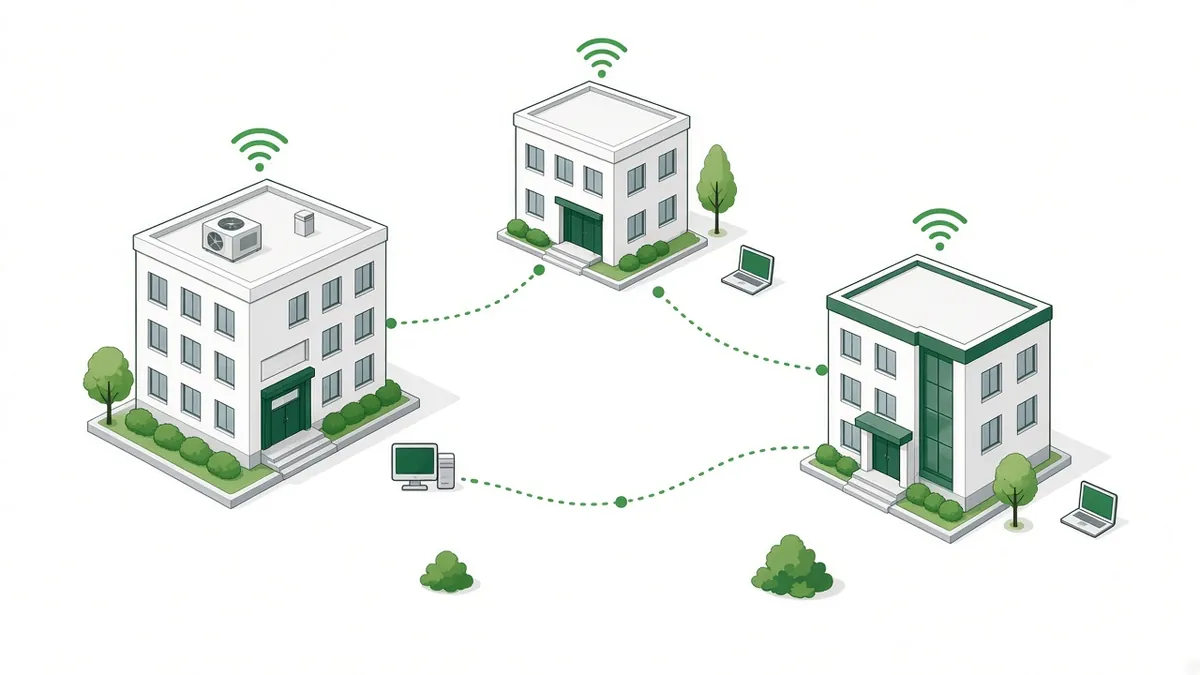
Sites matter just as much. A single office in Arlington is simpler to support than three locations spread across Tarrant County, Dallas, and beyond. Each additional site adds its own internet connection, network equipment, and travel time for onsite visits. If you run a multi-site organization with 25 to 100 workstations, expect your quote to reflect how each location is set up, not just the total headcount. Multi-site setups are one of the biggest variables in managed IT cost in Fort Worth and across the Metroplex.
3. Scope: what’s actually included
“Managed IT” can mean very different things from one provider to the next. A quote might include some or all of these:
- Help desk support for everyday problems, by phone, email, or remote session
- Onsite support when someone needs to be there in person
- Cybersecurity, such as endpoint protection, email filtering, firewall management, and security awareness training
- Backups and disaster recovery for servers, Microsoft 365, and key files
- Microsoft 365 management, including accounts, licensing, and email
- Network monitoring and management for your internet, firewall, switches, and Wi-Fi
- Vendor management, so someone else deals with your internet provider, phone company, and software vendors
- Planning and reporting, like regular check-ins and a technology roadmap
Two quotes can look far apart simply because one covers much more. Always compare what’s included, not just the bottom line.
4. Security and compliance needs
If your business handles health information, card payments, resident records, or other sensitive data, your IT needs more than the basics. Compliance requirements can add policies, documentation, extra security tools, and regular reviews. Senior living communities, medical offices, and hotels often fall into this group.
Security isn’t optional for anyone anymore, but the level of protection should fit the risk. The SBA’s guide to
strengthening your small business cybersecurity is a helpful, plain-English overview of the basics every business should cover.
5. Support hours and response expectations
When do you need help, and how fast? A business open 9 to 5 on weekdays has different needs from a hotel or senior living community that runs around the clock. Coverage for evenings, weekends, and holidays, plus faster response targets for urgent problems, all affect the price.
Be clear with yourself about what “fast enough” means for your team, and ask each provider to put their response times in writing.
6. Network, cabling, and hardware
A provider has to support what you already have. Aging computers, an out-of-date server, consumer-grade Wi-Fi, or a tangled network closet take more time to keep running.
Cabling and network hardware affect managed IT cost in Fort Worth too. If your building needs new structured cabling, updated switches, or better Wi-Fi coverage, that’s usually quoted as a separate project rather than part of the ongoing monthly service.
7. Onboarding and cleanup
The first month or two with a new IT provider is often the busiest. Onboarding can include documenting your network, collecting passwords, installing monitoring tools, cleaning up old accounts, and fixing issues that have been put off for a while. Some providers include this in their plan; others charge a one-time onboarding fee. Either is normal. Just make sure you know which one you’re getting.
How managed IT pricing models work
How a provider prices its service also shapes your managed IT cost in Fort Worth. You’ll mostly see a few common ways of pricing IT support in DFW.
Managed IT pricing per user
With per-user pricing, you pay a set amount each month for each person supported, no matter how many devices they use. It’s simple to budget for and scales easily as you hire. It fits well when most people have a laptop, a phone, and a Microsoft 365 account.
Per-device pricing
Per-device pricing charges for each computer, server, or piece of network equipment. It can make sense when you have shared workstations, kiosks, or many devices per person, which is common in senior living and hospitality.
Tiered or bundled plans
Many providers offer two or three plan levels, often with names like Basic, Professional, and Premium. Each tier adds more services, such as advanced security, more onsite time, or extended support hours. Tiered plans make it easy to compare options and upgrade later.
Project work vs. ongoing service
Ongoing managed IT covers the day-to-day: support, monitoring, security, and maintenance. Projects are one-time jobs, like an office move, a new building build-out, a server replacement, or a Wi-Fi upgrade. Most providers quote projects separately so your monthly cost stays predictable.
Break-fix
Break-fix means you call someone only when something breaks and pay by the hour. It can look cheaper on paper, but costs are unpredictable, and nobody is watching your systems between calls. There’s also no reason for the provider to prevent problems, since they’re paid when things go wrong.
Outsourced IT vs in-house cost
Hiring your own IT person is a reasonable option, and some businesses need one. But when you compare outsourced IT vs in-house cost, look at the whole picture, not just a salary.
An in-house hire comes with:
- Salary and benefits, plus payroll taxes, paid time off, and recruiting costs
- Coverage gaps when that person is sick, on vacation, or leaves the company
- Tools and software for monitoring, security, backups, and remote support, which providers often spread across many clients
- Training to keep up with security threats and new technology
- Limited range, because one person rarely has deep experience in networking, security, cloud, and help desk all at once
Add those up before you compare them with managed IT cost in Fort Worth. A managed IT provider gives you a team instead of a single person, with tools and processes already in place. Many businesses also use a mix: an internal IT coordinator for day-to-day needs, backed by a managed provider for security, networking, and after-hours help.
The hidden cost of downtime and break-fix
The price on a quote is only part of the story. What does it cost your business when email is down for a morning, the front desk can’t check in guests, or staff can’t reach the software they use to care for residents?
Downtime shows up as lost hours, frustrated employees, unhappy customers, and overtime spent catching up. Break-fix support tends to make it worse, because problems get fixed only after they’ve already caused trouble. Proactive managed IT aims to catch issues early, keep systems patched, and plan replacements before equipment fails.
Questions to ask when comparing managed IT quotes
Before you choose a provider, ask each one:
- What exactly is included, and what costs extra? Get it in writing.
- Is pricing per user, per device, or tiered? How does it change if you add people or a location?
- What are your support hours and response times? Who answers when you call?
- Is onsite support included? How quickly can someone get to each of your sites?
- How do you handle security and backups? How often are backups tested?
- Is there an onboarding fee or a long-term contract? What happens if you want to leave?
- How will you report to us? Ask what regular check-ins and reports look like.
How Covenant Computing keeps managed IT cost in Fort Worth predictable
Covenant Computing is based at 2261 Brookhollow Plaza Dr, Ste 301, Arlington, TX 76006, right between Dallas and Fort Worth. We work with organizations across Tarrant County and DFW, especially multi-site organizations with 25 to 100 workstations, senior living communities, commercial office buildings, and hotels. You can learn more about our
managed IT services in Fort Worth, including onsite help from live technicians and structured cabling done to BICSI standards.
We offer
flat-rate managed IT service plans so you can budget with confidence and know what to expect each month. 24/7 support is available. Support hours and response times vary by service plan.
Frequently asked questions
What affects managed IT cost in Fort Worth?
It depends on your number of users, devices, and sites, the services included, your security and compliance needs, and the support hours you require. The best first step is a free consultation to talk through your setup. For an exact scope, a full site and network assessment gives you a written quote.
What is managed IT pricing per user?
Per-user pricing charges a set monthly amount for each person supported, covering their devices and accounts. It’s easy to budget for and grows with your team.
Is outsourced IT cheaper than hiring in-house?
For many small and midsize businesses, outsourcing costs less than a full-time hire once you add benefits, tools, training, and time-off coverage. Some businesses do well with a mix of both.
Why do IT support quotes in DFW vary so much?
Quotes cover different scopes, support hours, and pricing models. One might include onsite visits, security, and backups while another doesn’t. Compare line by line, not just the total.
What happens during a free IT consultation?
It’s a no-cost, no-obligation conversation with our team. You tell us how many people and locations you have and what you’re looking for, and we answer your questions and talk through your options in plain English. It’s a planning conversation, not a troubleshooting or support session. If you’d like an exact scope, we can recommend our Full Site, Network & Nurse Call Assessment as a next step.
Get a real number for your managed IT cost
Every business is different, so the best way to understand your managed IT cost in Fort Worth is to start with a conversation. A free consultation with our team will help you figure out which of these seven factors matter most for you and what kind of plan makes sense.
For an exact scope, our Full Site, Network & Nurse Call Assessment is quoted up front, and the fee is credited toward your project if you move forward within 60 days.
Have questions about your network, nurse call or IT? Talk with our team at no cost and no obligation. Call 469-373-4393 or
request your free IT consultation.