
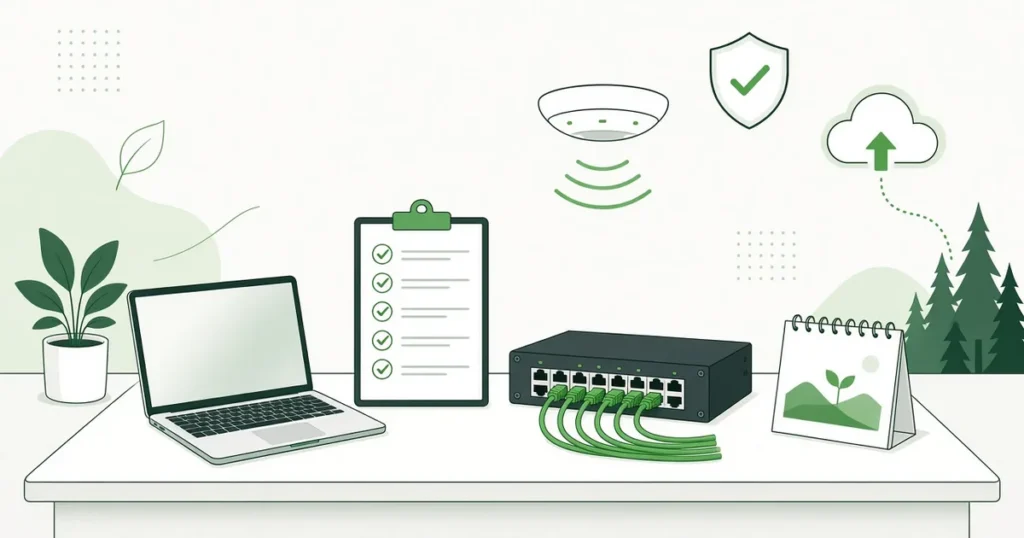
The end of the year is a good time to take a calm look at your technology. You’re setting next year’s budget, the last weeks of the year slow things down, and any problem you find now is easier to fix in January than in the middle of a busy spring. This year-end IT checklist walks you through the questions to ask before 2027 arrives, in plain English and in the order most organizations find easiest.
It’s written for offices, senior living communities, commercial properties and hotels across Dallas-Fort Worth, Houston and Austin, especially multi-site organizations with 25 to 100 workstations. You don’t need to finish everything in one afternoon. Work through one section at a time, write down what you find, and you’ll head into the new year with a clear plan instead of surprises.
1. Take stock of aging hardware
Start with a simple list of every computer, server, firewall, switch, Wi-Fi access point and printer at each of your locations. For each one, note roughly how old it is, who uses it and whether it’s still under warranty.
Then ask:
- Which devices are slow, noisy or failing often? These are your first candidates for replacement.
- Which warranties end in 2027? Out-of-warranty equipment can take longer to repair, because the repair shop may need to order parts.
- Is anything critical running on a single old box? A front desk PC, a nurse call workstation or a server that “just works” can become a big problem if it fails with no spare.
Replacing a few devices on a schedule is far less stressful than replacing them all after something breaks. This first step of your year-end IT checklist also gives you the list that every other step builds on.
2. Check for end-of-support software
Software has an expiration date too. When a product reaches end of support, the maker stops sending security updates, so nobody patches new weaknesses.
A few dates to keep in mind:
- Windows 10 reached end of support in October 2025. If any of your computers still run it, plan to upgrade or replace them.
- Windows Server 2016 reaches the end of extended support in January 2027, according to Microsoft’s Windows Server 2016 lifecycle page. If you have a server running it, now is the time to plan the move.
Also look at the business software your team relies on every day, such as accounting, scheduling, electronic health records, property management or hotel booking systems. Ask each vendor which versions they’ll support in 2027 and whether an upgrade will need newer hardware.
3. Review your firewall and security updates
Your firewall is the front door to your network. Make sure it’s still supported by its maker, its firmware is up to date and its security subscriptions haven’t lapsed. Many firewalls keep passing traffic after a subscription ends but quietly stop some of their protection.
On every computer and server, confirm that:
- Operating system and software updates install automatically, or on a regular schedule
- Antivirus or endpoint protection is running and current
- Nobody is using an old account with administrator rights they no longer need
If you’re not sure what protects your network today, our page on network security for your business explains what a layered approach looks like.
4. Test your backups (don’t just trust them)
If you only have time for one item on your year-end IT checklist, make it this one. Having backups isn’t enough. The real question is whether you can get your data back, and how long it takes. Before the year ends:
- Pick a few files and restore them. Try a recent document and one from several months ago.
- Check what’s covered. Servers, shared drives, Microsoft 365 email and files, and line-of-business databases all count.
- Keep at least one copy off-site or in the cloud, separate from your main network, so a fire, flood or ransomware attack can’t take out every copy at once.
- Write down who to call and what to do if you need to recover.
A backup you have never tested is really just a hope.
5. Tighten up multi-factor authentication and accounts
Multi-factor authentication (MFA) means signing in with your password plus a second step, such as a code or an app prompt on your phone. It’s one of the simplest ways to stop someone who has stolen a password. CISA, the federal cybersecurity agency, has a short, plain-English guide on why multi-factor authentication matters.
Year-end is also a natural time to clean house:
- Turn on MFA for email, remote access, banking and any cloud apps
- Remove accounts for people who have left, including seasonal and contract staff
- Review who has access to shared mailboxes, payroll and resident or guest records
- Store shared passwords in a password manager, not on sticky notes or in a spreadsheet
6. Walk your Wi-Fi coverage
Walk each building with a phone or laptop and note where the signal drops or calls cut out. Pay attention to the places that matter most: resident rooms and hallways in senior living, guest floors and meeting rooms in hotels, and common areas and tenant spaces in office buildings.
Also check that guests and residents use a separate Wi-Fi network from your staff and business systems. Mixing them puts your business data at risk. If you’re noticing slowdowns, dead spots or a lot of router restarts, write down where and when they happen. That pattern makes the cause much easier to track down.
7. Look inside the network closet
Open the door to your network closet or server room at each site. You’re looking for:
- Cables that are tangled, unlabeled or hanging loose
- Equipment sitting on the floor or stacked on top of other equipment
- Heat, dust or poor airflow
- A battery backup (UPS) that’s old or no longer holds a charge
- Old equipment that’s still plugged in but no one knows what it does
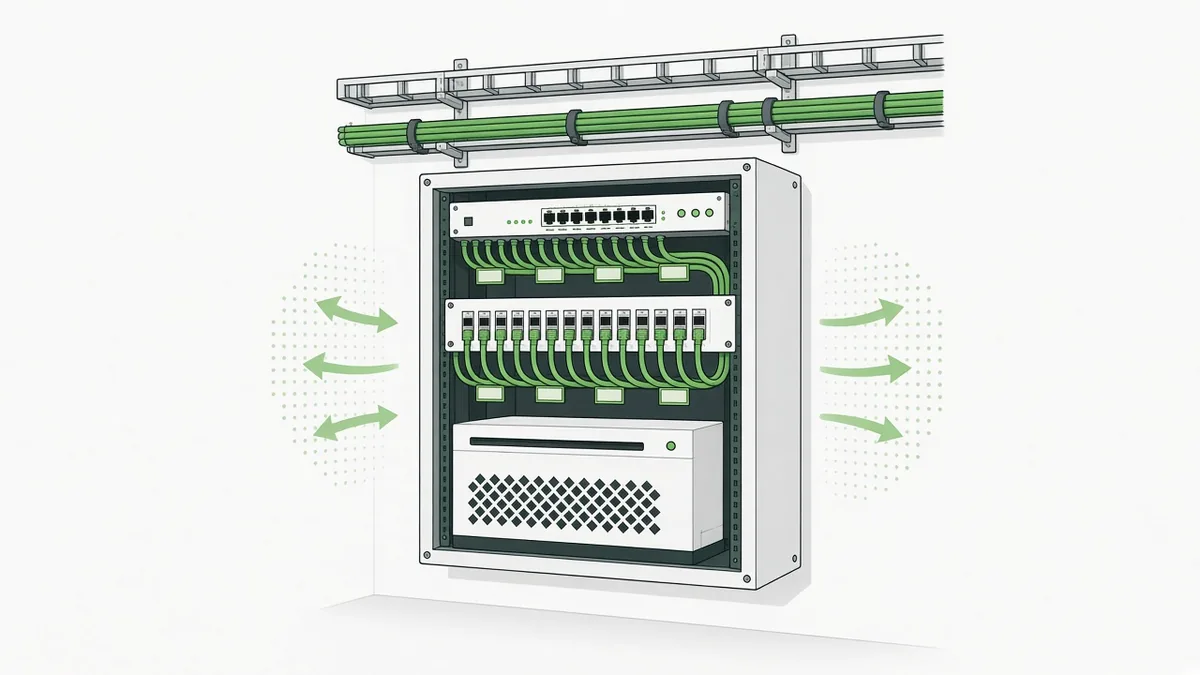
A tidy, labeled closet makes every future repair faster. If your building needs new cabling or a clean rebuild, Covenant Computing does structured cabling done to BICSI standards, so the job is organized, tested and documented. Learn more about our network infrastructure and cabling services.
8. Check nurse call system health (senior living)
For senior living communities, the nurse call system is about resident safety, so give it its own check before the new year:
- Test call stations, pendants and pull cords in a sample of rooms and common areas
- Confirm alerts reach the right staff devices quickly and reliably
- Check batteries in wireless pendants and devices
- Make sure the nurse call server or workstation is getting updates and is on a supported operating system
- Confirm the Wi-Fi and network the system depends on are solid in every wing
Covenant Computing installs, integrates, maintains and supports nurse call systems, including RCare, so you can plan your nurse call and your network together instead of separately.
9. Plan your 2027 IT budget
With your notes from this year-end IT checklist, you can build a realistic technology budget for 2027. Separate it into two parts:
- Ongoing costs: support, security tools, backups, software subscriptions and licenses
- One-time projects: hardware replacements, server upgrades, Wi-Fi improvements, cabling and nurse call updates
Spreading replacements over the year keeps your spending steady. Flat-rate managed IT plans can also make ongoing costs easier to predict. For a closer look at what shapes those costs, see our guide to the factors behind managed IT cost.
10. Update your documentation
Finally, write it all down. Good documentation saves time and money every time something goes wrong. Keep an up-to-date record of:
- Your device list and warranty dates from step 1
- Internet providers, account numbers and support phone numbers for each site
- A simple network diagram for each location
- Who to call for IT, nurse call, phones and building systems
- Where you store backups and how to recover them
Store it somewhere safe that more than one trusted person can reach.
Year-end IT checklist FAQs
When should I do a year-end IT checklist?
October through early December works well for most organizations. It gives you time to find issues, get quotes and set your 2027 budget before the last weeks of the year slow things down.
What software reaches end of support in 2027?
Windows Server 2016 reaches the end of extended support in January 2027. Windows 10 already reached end of support in October 2025. Check with your other software vendors about their own dates.
How often should we test our backups?
At least a few times a year, and any time you make a major change to your systems. Testing means actually restoring files, not just checking that a backup job says it finished.
Does a senior living community need a separate nurse call check?
Yes. Nurse call is about resident safety, so test call stations, pendants and alerts on their own schedule. Also make sure the network and Wi-Fi the system depends on are reliable in every wing.
What happens during a free IT consultation?
It’s a no-cost, no-obligation conversation with our team. You tell us about your locations, your setup and what’s on your list for 2027, and we answer your questions and talk through your options in plain English. It’s a planning conversation, not a troubleshooting or support session.
Finish your year-end IT checklist and start 2027 with a clear plan
You don’t have to work through it alone. Covenant Computing helps organizations across DFW, Houston and Austin keep their networks, security and nurse call systems running smoothly, with live technicians on our paid support plans. 24/7 support is available. Support hours and response times vary by service plan.
If you’d like a detailed picture of every site, our Full Site, Network & Nurse Call Assessment is an optional next step. It’s quoted up front, and the fee is credited toward your project if you move forward within 60 days.
Have questions about your network, nurse call or IT? Talk with our team at no cost and no obligation. Call 469-373-4393 or request your free IT consultation.