
When a resident presses a call button, they’re trusting that someone will come. Your nurse call system sits quietly in the background of every shift, so it’s easy to forget about until something goes wrong. The good news is that most problems give you early warning signs. If you know what to look for, you can plan repairs and upgrades calmly instead of reacting in the middle of a busy night.
This guide is written for Executive Directors, Directors of Nursing, Business Office Managers and maintenance leads at assisted living, memory care and independent living communities across Dallas-Fort Worth, Houston and Austin. Here are five signs it’s time to give your call system some attention, plus simple steps you can take this week.
Sign 1: Alerts are slow, missed or going to the wrong people
The whole point of nurse call is getting the right caregiver to the right room quickly. If your team says alerts sometimes arrive late, don’t arrive at all or go to staff who aren’t on shift, take it seriously.
Common causes include:
- Outdated staff assignments. When schedules, wings or roles change, the routing rules in the software don’t always change with them.
- Weak Wi-Fi in certain areas. Many modern systems send alerts to phones, pagers or badges over your wireless network. A dead spot in one hallway can delay a call.
- Aging staff devices. Old phones or pagers with worn batteries can drop off the network without anyone noticing.
What you can do: Ask each shift lead to write down any call that felt slow or missed, with the time and location. A short log over two weeks often points straight to the problem area.
Sign 2: Pendants, pull cords or call stations fail testing
Every call point in your building should work every time. If routine testing turns up pendants that don’t register, pull cords that stick, or wall stations with cracked buttons or loose faceplates, those failures are telling you something.
Wireless pendants depend on batteries, and many communities find dead or weak batteries only when a resident actually needs help. Physical stations also take a beating from cleaning carts, furniture and daily use.
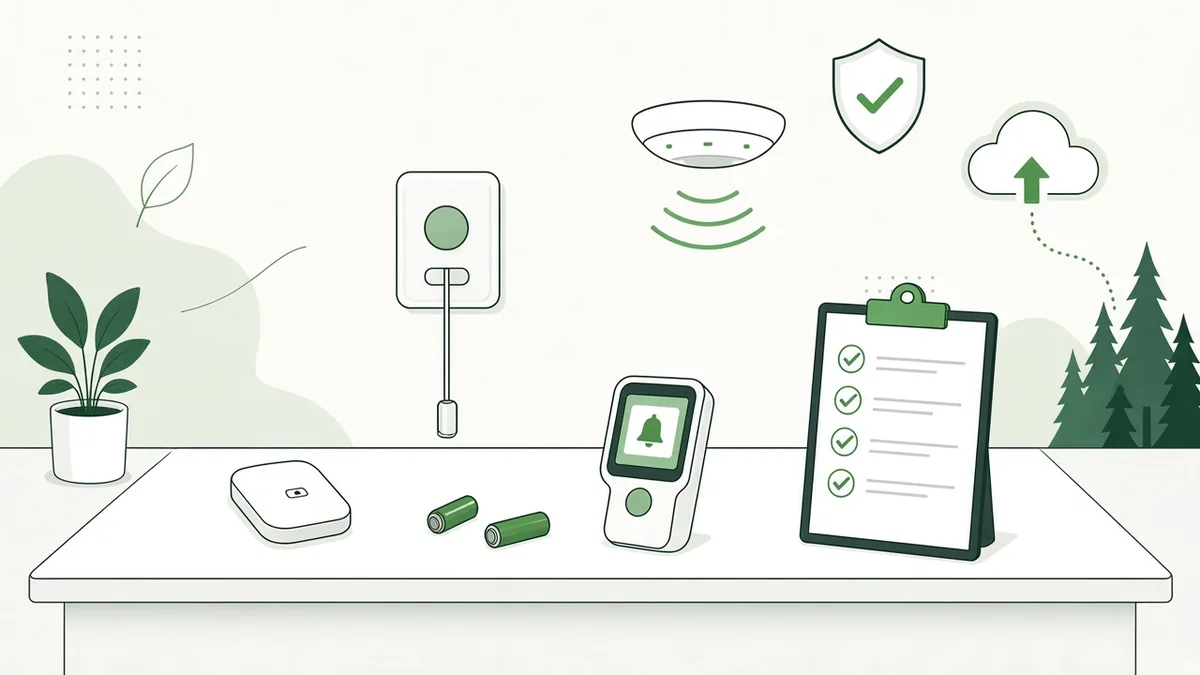
What you can do: Set a regular testing schedule for a sample of rooms and common areas, and rotate through the whole building over time. Keep a simple record of what you tested, what failed and what you replaced. That record also helps your team spot patterns, like one wing that fails more often than the others.
Sign 3: Your nurse call system runs on old computers or unsupported software
Behind the call buttons, most systems rely on a server or workstation, plus software that needs updates. If that computer is several years old, sits under a desk with no battery backup, or runs an operating system that no longer gets security updates, your nurse call system depends on a weak link.
Microsoft ended support for Windows 10 in October 2025, according to its Windows 10 lifecycle page, so check that any nurse call workstation has moved to a supported version. Also ask your vendor which software version you’re on and whether updates are current.
Watch for these red flags:
- The server or workstation restarts on its own or freezes
- Nobody knows the login, or only one person does
- The software hasn’t been updated in years
- There’s no battery backup (UPS) to keep it running during a short power blip
What you can do: Find the computer that runs your call system, note its age and operating system, and confirm it’s on a battery backup. This takes about 15 minutes and tells you a lot. Our year-end IT checklist for 2027 walks through the same questions for the rest of your technology.
Sign 4: Your network and Wi-Fi can’t keep up
Nurse call no longer lives on its own. Many systems now connect to your data network, your Wi-Fi, staff phones and sometimes other tools like door access or wander management. That means your network health and your resident response are tied together.
Signs your network may be holding things back:
- Staff phones drop calls or lose Wi-Fi in certain wings
- Residents, families and staff all share one Wi-Fi network
- Network equipment sits in a hot closet with tangled, unlabeled cables
- Nobody has looked at the firewall or switches in years
A well-built network separates resident and guest Wi-Fi from staff and clinical systems, keeps coverage strong in every hallway and resident room, and uses organized, documented cabling. Covenant Computing does structured cabling to BICSI standards, so the work is tested, labeled and easy to maintain. If you’re seeing other slowdowns too, our post on signs your business needs better network support covers what to watch for.
Sign 5: No one clearly owns the system
This one is easy to miss. In many communities, nurse call falls between the cracks. Maintenance handles the wall stations, the nursing team handles the staff devices, an outside vendor handles the software, and a different company handles the network. When an alert goes missing, everyone points somewhere else.
Ask yourself:
- Who do you call first when the system has a problem?
- Is there a written list of every component, its age and who supports it?
- Does your team know how to report a problem, and does someone follow up?
- When you add rooms or remodel a wing, who makes sure nurse call is part of the plan?
If you can’t answer these quickly, it’s worth setting up clear ownership. One point of contact for nurse call and the network it relies on makes every problem easier to solve.
How Covenant Computing helps with nurse call
Covenant Computing installs, integrates, maintains and supports nurse call systems for senior living communities. We’re an Official RCare Distributor, and we also take care of the network, Wi-Fi and cabling those systems depend on, so you have one team that sees the whole picture. We’re also proud members of the Texas Assisted Living Association and LeadingAge Texas.
Our paid support plans include live technicians, and flat-rate plans help keep costs predictable. 24/7 support is available. Support hours and response times vary by service plan.
Nurse call FAQs
How often should we test our nurse call equipment?
Test a sample of call stations, pendants and pull cords on a regular schedule, and rotate through every room over time. Also test after any remodel, network change or software update. Your system’s manufacturer may recommend a specific schedule, so check their guidance too.
Can our nurse call system work with staff smartphones?
Many modern systems can send alerts to smartphones, badges or pagers. It depends on your system and version. Strong, reliable Wi-Fi in every area where staff work is important for this to work well.
What is RCare?
RCare is a manufacturer of nurse call and resident safety systems used in senior living communities. Covenant Computing is an Official RCare Distributor and can install, integrate, maintain and support RCare systems.
Should nurse call be on the same network as resident Wi-Fi?
Resident and guest Wi-Fi should be kept separate from staff and clinical systems. A properly designed network can share the same cabling and equipment while keeping that traffic apart.
What happens during a free IT consultation?
It’s a no-cost, no-obligation conversation with our team. You tell us about your community, your call system and your network, and we answer your questions and talk through your options in plain English. It’s a planning conversation, not a troubleshooting or support session.
Give your nurse call system the attention your residents deserve
You don’t need to replace everything at once. Start with the five signs above, write down what you find, and fix the most important items first. A steady, well-supported nurse call system gives your residents, families and staff real peace of mind.
Have questions about your network, nurse call or IT? Talk with our team at no cost and no obligation. Call 469-373-4393 or request your free IT consultation.