
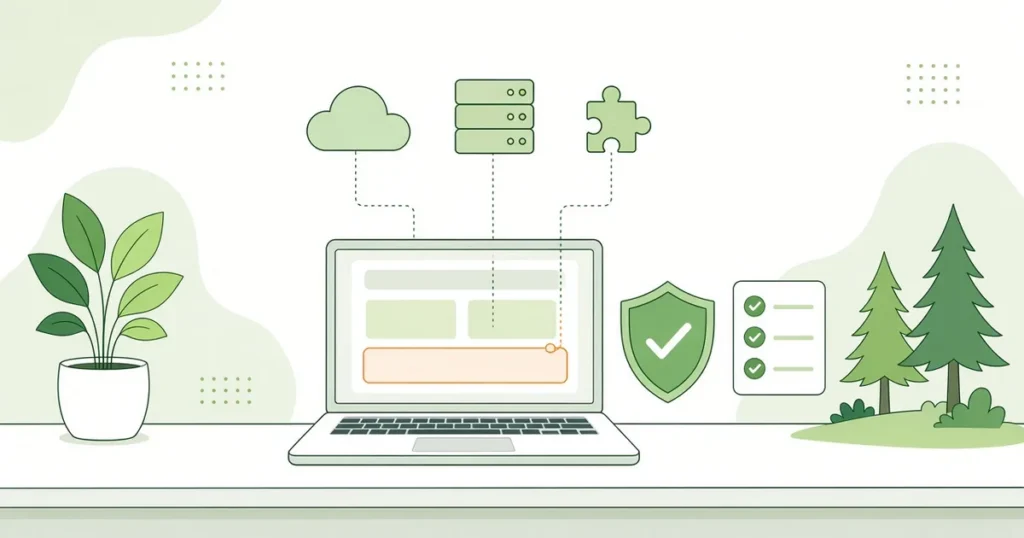
Here’s a common belief: if a website belongs to a big, well-known company, it’s safe to use. On November 16, 2026, that belief took a hit. Visitors to websites run by Zoom, the BBC, CNN, Salesforce, IKEA and HSBC were served harmful code for part of a day. Those companies didn’t write that code, and it didn’t come from their own servers. It came through a trusted tool their websites already loaded.
This was a third-party script attack, and you don’t need to have heard of the tool involved for the lesson to apply to you. Here’s what happened in plain English, why it matters for DFW small and mid-size businesses, senior living communities and multi-site offices, and the practical steps worth taking this month.
What happened in the Optimizely third-party script attack
Optimizely is a service many large companies use to test versions of their web pages. To use it, a website loads a small piece of JavaScript (the code that makes web pages interactive) from Optimizely’s servers.
According to Report URI’s investigation, led by security researcher Scott Helme, an attacker added their own code to a custom-code field in customers’ Optimizely projects called Project JavaScript. The rest of each file stayed the same, and it was still delivered from Optimizely’s trusted content delivery network, so browsers treated it as normal.
Report URI checked 1,611 Optimizely snippets and found the malicious code in 188 of them, belonging to 178 organisations. The researchers say the real number is likely higher, since they could only check the snippets they found in time.
Report URI says the code did several things:
- Swapped cryptocurrency wallet addresses for the attacker’s own
- Skimmed payment card details typed into a website’s own forms
- Stole some cookies and page screenshots
- Tried to deliver exploit kits to iPhones and iPads
There were limits. Cards entered in hosted payment iframes, the payment boxes run by providers like Stripe or Adyen, were out of the skimmer’s reach.
Optimizely confirmed the incident on its status page. The company said it fixed the vulnerability, removed the injected code from affected projects, secured affected user accounts and added protections against unauthorized code. Report URI reported that all infected files were clean by late on November 16 (UTC).
One important caution: a poisoned script on a public web page doesn’t mean a company’s internal systems were breached. Security firm Hudson Rock made exactly that point, as iTWire reported.
Myth vs. reality: “We don’t use Optimizely, so this isn’t about us”
Myth: This only matters to big companies that use one specific testing tool.
Reality: Nearly every website, web app and online service you use loads code from someone else. Think about chat widgets, analytics, booking forms, social media buttons, maps, cookie banners and payment tools. Your business’s website probably loads several of these. So do the portals, SaaS tools and vendor sites your staff log into every day.
Each of those tools is a link in a chain, and a third-party script attack targets that chain. Report URI summed it up well: “trusted JavaScript doesn’t always remain trustworthy.” A website can be harmed through a tool it depends on, even when its own code and servers are never touched.
That makes your vendors part of your security. It’s not a reason to panic, just a reason to know what you depend on.
Practical steps for your business
Most of these steps start with a conversation, not a big budget.
Ask for a list of the third-party scripts on your website
Ask whoever manages your website for a simple list of every outside script, plugin and tool your site loads, and what each one does. You may find old tracking codes or retired chat tools nobody remembers. Remove anything you no longer use.
Use hosted payment pages for card payments
If your website takes card payments, ask whoever manages it whether customers type card numbers into your own form or into a hosted payment page or iframe from your payment provider. In this attack, cards entered in hosted payment iframes were out of the skimmer’s reach, according to Report URI. Your payment provider can tell you which options they offer.
Ask your web developer about a Content Security Policy
A Content Security Policy (CSP) is a website setting that tells browsers which sources of code a page is allowed to load and where it can send data. Report URI checked the policies of affected organisations’ websites and found that only 24 organisations, about 15%, had one strict enough to block this attack. A CSP is a technical setting, so the right person to ask is whoever manages your website.
Keep phones, tablets and computers updated
Report URI advised iPhone and iPad users to update to iOS 18.7.3 or later, or iOS 26.3 or later. The bigger lesson applies to every device: turn on automatic updates and make sure they actually install. That includes staff phones used for work, shared tablets at a front desk or nurses’ station, and the computer in the back office that nobody restarts. Our year-end IT checklist for 2027 includes a simple device review you can use.
Use MFA and keep an eye on your accounts
Multi-factor authentication (MFA) asks for a second proof, like a code on your phone, when someone signs in. It makes stolen passwords and cookies much less useful to an attacker. Turn it on for email, banking, payroll and any vendor portal that offers it. Then watch your bank and card statements for charges you don’t recognize.
Ask your vendors how they handle incidents
You can’t control a vendor’s systems, but you can ask good questions. How will they tell you if something goes wrong, how quickly, and who do you call? Clear answers help you plan.
Train staff to speak up when something looks odd
In this attack, Report URI noted that pages on older iPhones and iPads reloaded every 60 seconds, a visible sign something was wrong. Your team are often the first to notice odd behavior: a page that keeps refreshing, a payment screen that looks different, an unexpected pop-up. Make it easy and blame-free for staff to report it, and make sure someone follows up.
How Covenant Computing can help
Covenant Computing is a managed IT, network security, structured cabling and nurse call company based in Arlington, serving DFW and Houston. We help businesses and senior living communities with the habits that limit the damage when a vendor has a problem: network security and firewalls, keeping devices updated, setting up MFA and building staff awareness. Questions about your website’s code are best taken to whoever manages your website.
Our paid support plans include live technicians, and flat-rate plans help keep costs predictable. 24/7 support is available. Support hours and response times vary by service plan.
Third-party script attack FAQs
What is a third-party script attack?
It’s when an attacker tampers with code that a website loads from an outside provider, such as an analytics, testing or chat tool. Because the website already trusts that provider, the harmful code runs in visitors’ browsers without the website’s own code being changed.
Was my business affected by the Optimizely incident?
This incident involved websites that use Optimizely Web. If you’re not sure whether yours does, ask whoever manages your website. The bigger takeaway is to know which outside tools your website and staff rely on.
I visited one of the affected websites. What should I do?
Report URI advised updating iPhones and iPads to iOS 18.7.3 or later, or iOS 26.3 or later. It also suggested checking any cryptocurrency transfers made on November 16 and watching card statements if you paid by card on an affected site.
Does using a hosted payment page help?
It can. In this attack, Report URI found that cards entered in hosted payment iframes from providers like Stripe and Adyen were out of the skimmer’s reach. Ask your payment provider which hosted options they offer.
What happens during a free IT consultation?
It’s a no-cost, no-obligation conversation with our team. You tell us about your business, your devices and your network, and we answer your questions and talk through your options in plain English. It’s a planning conversation, not a troubleshooting or support session.
Trust, but keep checking
The companies hit by this attack trusted a well-known vendor, and for good reason. The lesson isn’t to stop trusting your tools. It’s to treat a third-party script attack as a reminder to know what you rely on, keep your devices and accounts in good shape, and give your team a clear way to raise a hand when something looks off.
Have questions about your network, nurse call or IT? Talk with our team at no cost and no obligation. Call 469-373-4393 or request your free IT consultation.